
A little help.
A lot more
control.
Get connected, learn the controls, and make CmdPalm feel like yours.
Let’s get you connected
From download to first tap
Install, allow, scan. You’re ready.
Make the connection private
A clear guide to HTTPS and certificates.
Every control, within reach.
Get to know it.
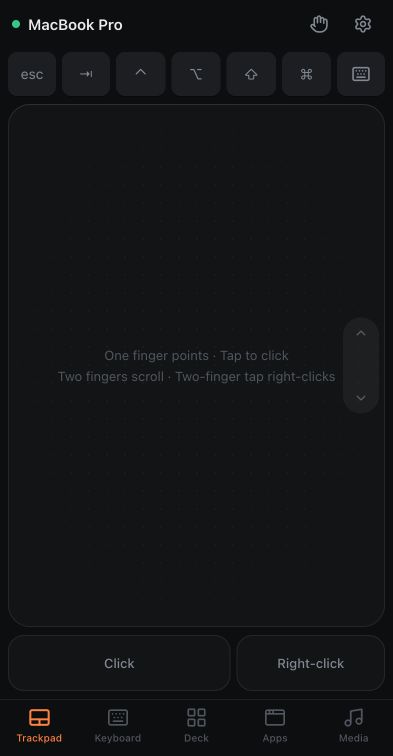
Trackpad & gestures
Use your phone as a Mac trackpad: click, drag, scroll, zoom and rotate. Adjust pointer speed and scrolling, then assign three- and four-finger gestures in CmdPalm.
Explore the controlsKeyboard & typing
Type on your Mac from your phone with CmdPalm. Use Mac keys, modifiers and a Caps Lock light, live typing, clipboard paste, or text modes for games.
Explore the controlsCustom keyboards
Build a custom phone keyboard for your Mac with CmdPalm. Arrange shortcuts, held keys, right-side modifiers, media buttons and an optional trackpad.
Explore the controlsShortcut deck
Create a phone shortcut deck for Mac with CmdPalm. Add app launchers, text snippets and action sequences, adjust button size, and back up your shared deck.
Explore the controlsApps & media
Control Mac apps, music and volume from your phone with CmdPalm. Launch or quit apps, pause playback, and use supported brightness and backlight controls.
Explore the controlsVoice typing
Use your phone microphone for voice typing on Mac with CmdPalm. Set up HTTPS, Speech Recognition and on-device dictation, then speak into the typing panel.
Explore the controlsStraight to the answer.
Something we haven’t covered? Ask us on GitHub